Visual guide
Back up phone, documents and hotel data

Maps and tickets need data
Check this before buying an eSIM
- Does the phone support eSIM?
- Does the China version of the iPhone support eSIM?
- Does the plan cover all destination countries?
- Do you need SMS codes or only mobile data?
Choose first: eSIM, roaming or a physical SIM card?
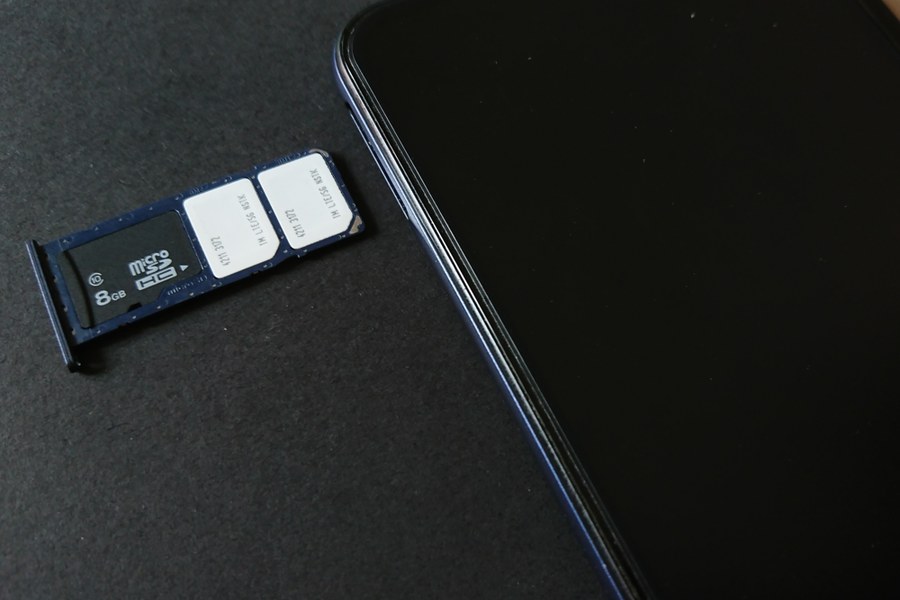
- If your phone supports eSIM, a Europe eSIM is often the easiest option. You do not need to change a physical card; you install it with a QR code and enable data roaming.
- If your phone does not support eSIM, or you do not want to configure your phone at the airport, an international roaming package from your Chinese carrier may be easier. A physical SIM card is also possible, but it is usually less convenient on a first trip.
- Do not rely only on airport, hotel or café WiFi. Maps, train platforms, hotel messages, ticket apps and translation all need mobile data while travelling.
Prepare a translation app
- In Europe, a translation app is almost as useful as mobile data itself. Menus, train stations, hotel reception desks, ticket machines and short conversations are much easier with one.
- I use a translation app all the time when travelling in China, because my Chinese is still very limited. It does not solve everything, but it makes many everyday situations much easier.
- There are many translation apps. In Europe, Google Translate is especially practical because many Europeans are familiar with its interface and how it works. Before travelling, install and test an app that already works on your phone; after arrival in Europe, Google Translate is often a good choice.
Important: check whether your phone supports eSIM
- Not every phone bought in China supports travel eSIM. Before buying, check your phone settings for options such as “Add eSIM”, “Download SIM” or “Add mobile plan”.
- Apple states that the mainland China versions of the iPhone 17e A3635 and iPhone Air A3518 support eSIM. When travelling outside mainland China, these models can activate an eSIM from a local carrier or worldwide service provider, but eSIMs from providers outside mainland China cannot be installed while the user is in mainland China.
- Android is less predictable. Samsung, Google Pixel and some international Xiaomi or Huawei models may support eSIM, while some China market versions may not. Check the exact model and the settings menu, not just the brand name.
What to do after arriving in Europe
- If your China mainland iPhone can install a non Chinese eSIM only while abroad, connect to airport WiFi after arrival in Munich, Zurich, Paris or another European airport, then purchase the plan or open the eSIM installation link.
- Installation usually means scanning a QR code or entering eSIM details manually. After installation, turn on the eSIM line and enable data roaming. If there is no connection, check which line is selected for mobile data.
- Set it up calmly in the airport terminal, at the hotel or another place with stable WiFi. Do not try your first eSIM setup while standing at a ticket gate, subway entrance or taxi queue.
How much data is enough?
- For maps, messaging and normal travel use, 5GB to 10GB can be enough for a short trip.
- If you watch many videos, upload photos, use hotspot or video calls, look at 20GB, 30GB or daily high data packages.
- Trip.com Europe eSIM products often list 4G/5G, validity periods from 1 to 30 days, and plans ranging from 500 MB per day to 50 GB in total. Prices change with package, date and promotion. Always check validity, included countries, data only rules and hotspot support.
A few reminders about mobile networks in Europe
- Europe uses different mobile networks by country and region. In cities, 4G/5G is usually normal, but mountains, train tunnels, underground stations and rural roads can have weaker signal.
- Check whether Switzerland, the UK or Turkey are included in the Europe package before paying. Do not buy only because the title says Europe.
- Many travel eSIMs are data only. That usually works for tourism: WeChat, email, maps, translation and hotel messages all work over mobile data.
The eSIM buttons are affiliate links. If you buy through them, I may receive a small commission; the price shown on the respective provider page is the relevant price. Before buying, check phone compatibility, covered countries, validity and package rules.